Catch Log Overview Table - Annotated Feature
Feature Name: "Catch Session Log Summary"
Description:
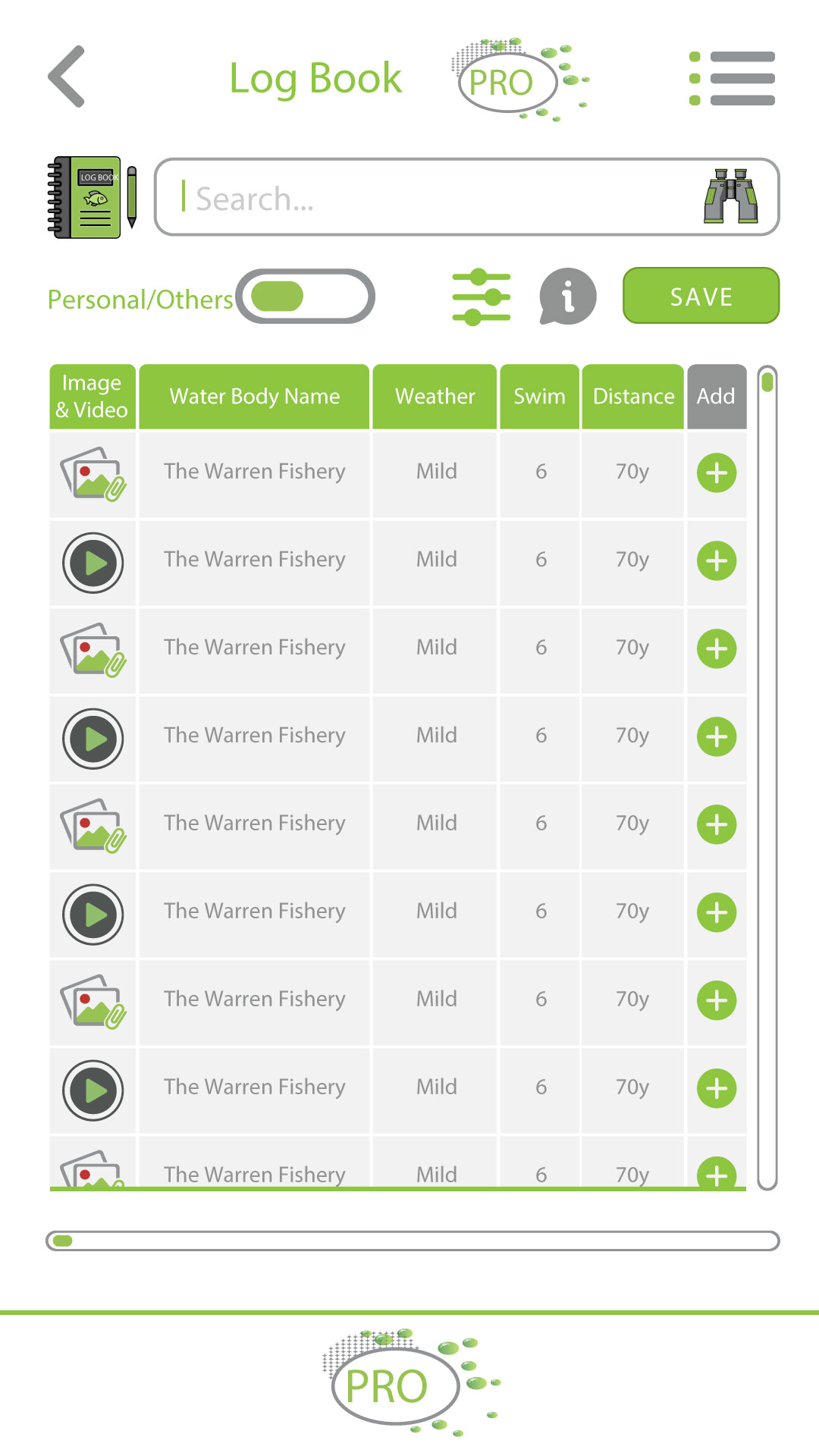
This table provides a summary of catch sessions at a specific water body — in this case, The Warren Fishery. It includes consistent data points across sessions like weather, swim number, casting distance, and water depth, with room for adding more details like bait, rig, feature markers, and size of fish.
Why It Benefits Anglers:
- Pattern Recognition:
- Anglers can spot trends (e.g. which swim, depth, or distance works best under certain weather).
- Useful for planning future sessions based on previous success.
- Location-Specific Insights:
- Consistent reference to the water body and swim helps anglers understand micro-locations better within a fishery.
- Multimedia Support:
- Icons for image and video uploads allow users to document catches visually for easy comparison and bragging rights.
- Data Completeness:
- The placeholder “?” encourages users to log more complete session details, improving their own records and community knowledge.
- Memory Aid:
- Reminds anglers of previous rigs, baits, and tactics used, reducing repeated mistakes and improving performance.
- Community & Sync Potential:
- Can be tied into a cloud-based database for anglers to compare notes, or even crowdsource hot spots and effective techniques.
How to Implement:
- Editable Fields: Let users tap a row to add missing data or update existing details.
- Filters: Allow filtering by weather, rig, bait, etc., to identify optimal fishing conditions.
- Media Viewer: Clicking the image/video icon opens the uploaded content in a lightbox or media viewer.
- Graph Integration: Include optional graphs from this data for visual trends (e.g. fish size vs. weather).